
How to leave a review on Antijob.net
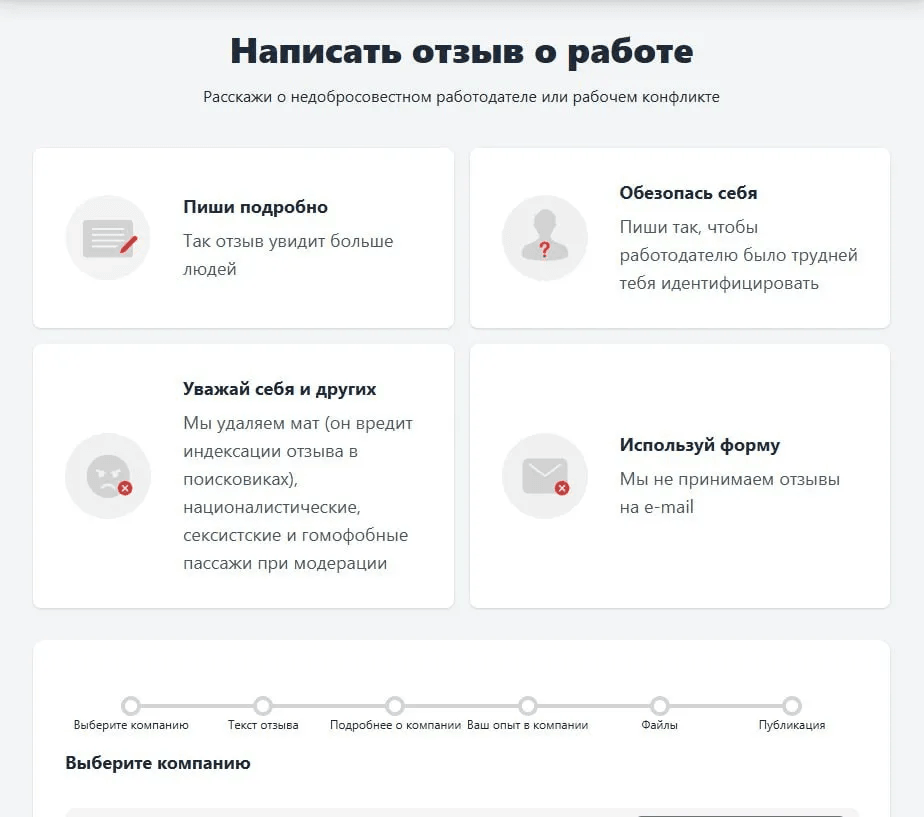
To write an objective and safe review, follow these steps:
1. Enter the company name — if it is not in the list, the system will suggest adding a new one.
2. Write an informative headline – briefly describe the essence.
3. In the text, explain the following points:
1. Enter the company name — if it is not in the list, the system will suggest adding a new one.
2. Write an informative headline – briefly describe the essence.
3. In the text, explain the following points:
- Who you are — a candidate, a current or a former employee;
- What happened — conflict, non-payment, working conditions;
- Details, dates, figures — this increases trust (but if you want to remain anonymous, provide information in general terms).
4. Indicate the employer's location; you can add the office, street. Fill in the company's field of activity and, if possible, the organization's INN (Taxpayer Identification Number).
5. Mark your status: attended an interview, still employed, or already resigned.
6. Attach screenshots, contracts, or correspondence that confirm your experience — then your review can move from anonymous to trusted or verified. Don’t forget to obscure/erase personal data.
7. Leave an email address — it will be needed to delete the review at your request.
8. Confirm that you have read the terms of service.
Click «Leave a review» — the review will go to moderation, which usually takes up to a week.
5. Mark your status: attended an interview, still employed, or already resigned.
6. Attach screenshots, contracts, or correspondence that confirm your experience — then your review can move from anonymous to trusted or verified. Don’t forget to obscure/erase personal data.
7. Leave an email address — it will be needed to delete the review at your request.
8. Confirm that you have read the terms of service.
Click «Leave a review» — the review will go to moderation, which usually takes up to a week.
Tips for an effective review
- Be specific and honest, without profanity or discrimination — such words will be removed by moderators so the review remains accessible.
- Try to rely less on emotions when writing the review: don’t write direct insults, don’t discuss the appearance of colleagues and managers, and don’t describe the personal or intimate life of employees and management.
- Write so that your review does not allow you to be personally identified, but contains real facts.
Your support is very important to us